headset_mic

Efficient - Integrated - Empower

Data Services That Keep Your ERP
Clean, Structured & Secure

Centralize, configure, and control your ERP data from one place.

Powering the Brands That Power the Market

Bajaj
Brand
AM
MMIPL
VERTEX
Maruti Suzuki
INTERLIFT
Hero
Brand
Brand
Brand
Brand
Brand
Brand
Brand
Brand
Brand
Brand
Brand
Brand
Brand
Brand
Brand
Brand
Brand
Brand
Brand
Brand
Brand
Brand
Brand
Brand
Brand
Brand
Brand
Brand
Brand
Brand
Brand
Brand
Brand
Brand
Brand
Brand
Brand
Brand
Brand
Brand
Brand
Brand
Brand
Bajaj
Brand
AM
MMIPL
VERTEX
Maruti Suzuki
INTERLIFT
Hero
Brand
Brand
Brand
Brand
Brand
Brand
Brand
Brand
Brand
Brand
Brand
Brand
Brand
Brand
Brand
Brand
Brand
Brand
Brand
Brand
Brand
Brand
Brand
Brand
Brand
Brand
Brand
Brand
Brand
Brand
Brand
Brand
Brand
Brand
Brand
Brand
Brand
Brand
Brand
Brand
Brand
Brand
Brand

Who Needs Data Services Management Software?

Ideal for organizations managing large volumes of data, documents, and multi-module configurations. Especially valuable for growing businesses, multi-department teams, and compliance-driven enterprises.

Migrating Systems

Businesses migrating systems

Migrating from spreadsheets or legacy systems to an ERP often involves inconsistent data. Data Services enables validated bulk imports, reducing setup time and ensuring clean, reliable data.

Managing Documents

Businesses managing documents

As organizations grow, documents often scatter across systems. Centralized and personal document libraries unify files in one secure place, improving access, version control, and collaboration.

Standardizing Processes

Businesses standardizing processes

Different team workflows can lead to inconsistent system usage. Module-level configurations enforce standardized rules and workflows, while retaining necessary flexibility.

Controlling Data

Businesses controlling data

Uncontrolled data causes reporting issues and operational risk. Centralized data management ensures accurate, secure, and consistent data with strong governance as the business scales.

Business Professional

Reduce Data Errors by 40% with Centralized Data & Document Control

Thousands of businesses already using our platform to streamline operations and drive growth.

Explore The Features of Our Data Service Management Software

Designed to manage data lifecycle—from import and configuration to storage and access. Ensures data consistency while supporting flexibility for different teams and users.

Data Migration & Import

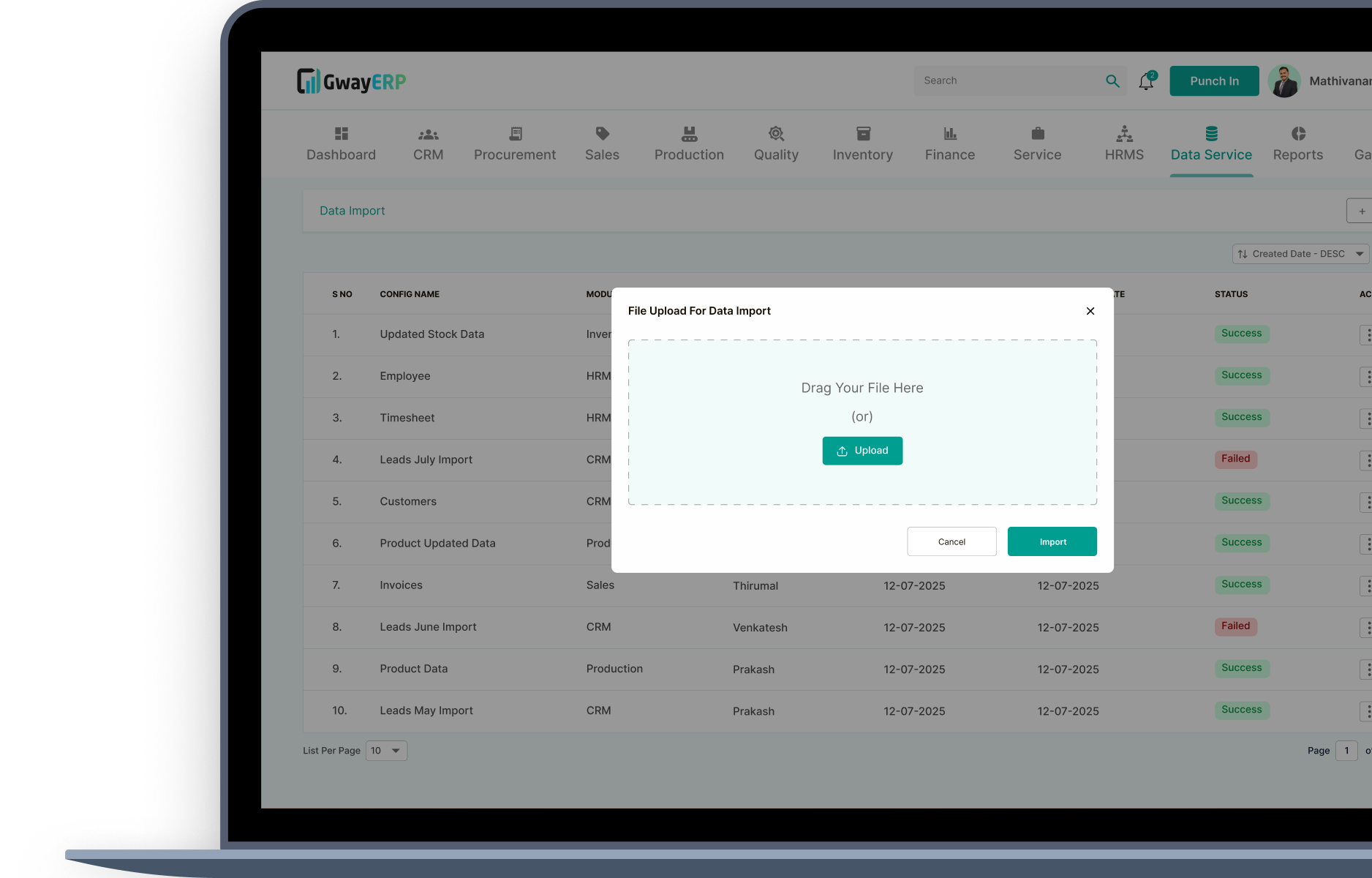
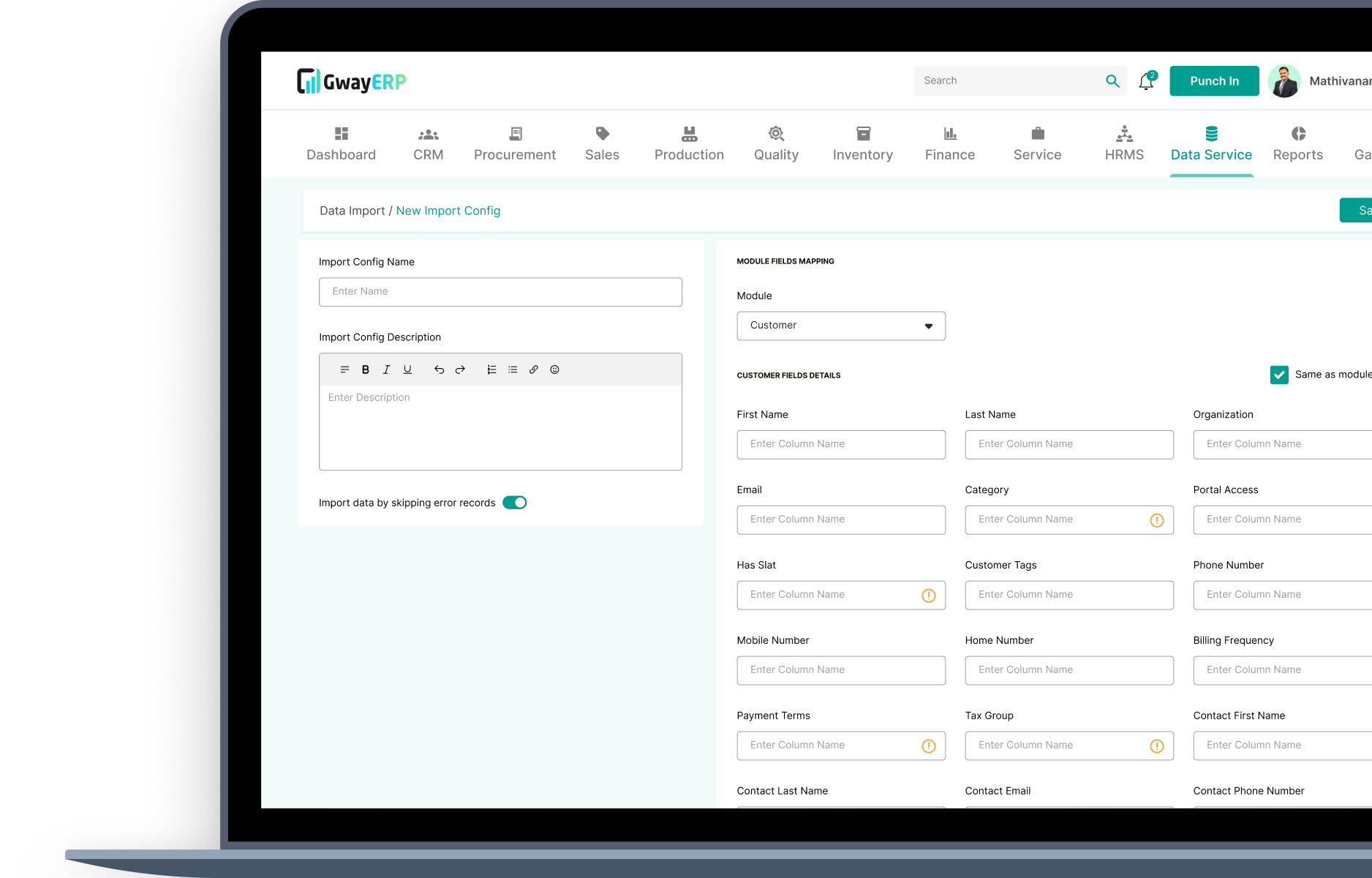
Migrate master and transactional data smoothly after configuring the system, without manual intervention or repeated uploads. Once module configurations are finalized, data can be imported with a single click using structured templates.

Built-in validations ensure incorrect or incomplete data is flagged before migration, helping businesses move from legacy systems or spreadsheets quickly while starting with clean, reliable data.

Data Migration & Import

Module-Level Configuration

Configure how each module accepts and processes data without depending on developers or technical teams. Businesses can customize import fields, mandatory columns, data formats, and validation rules directly from settings.

This allows every module to align with internal workflows and business logic, ensuring flexibility while maintaining consistency across the ERP.

Module-Level Configuration

Centralized Document Library

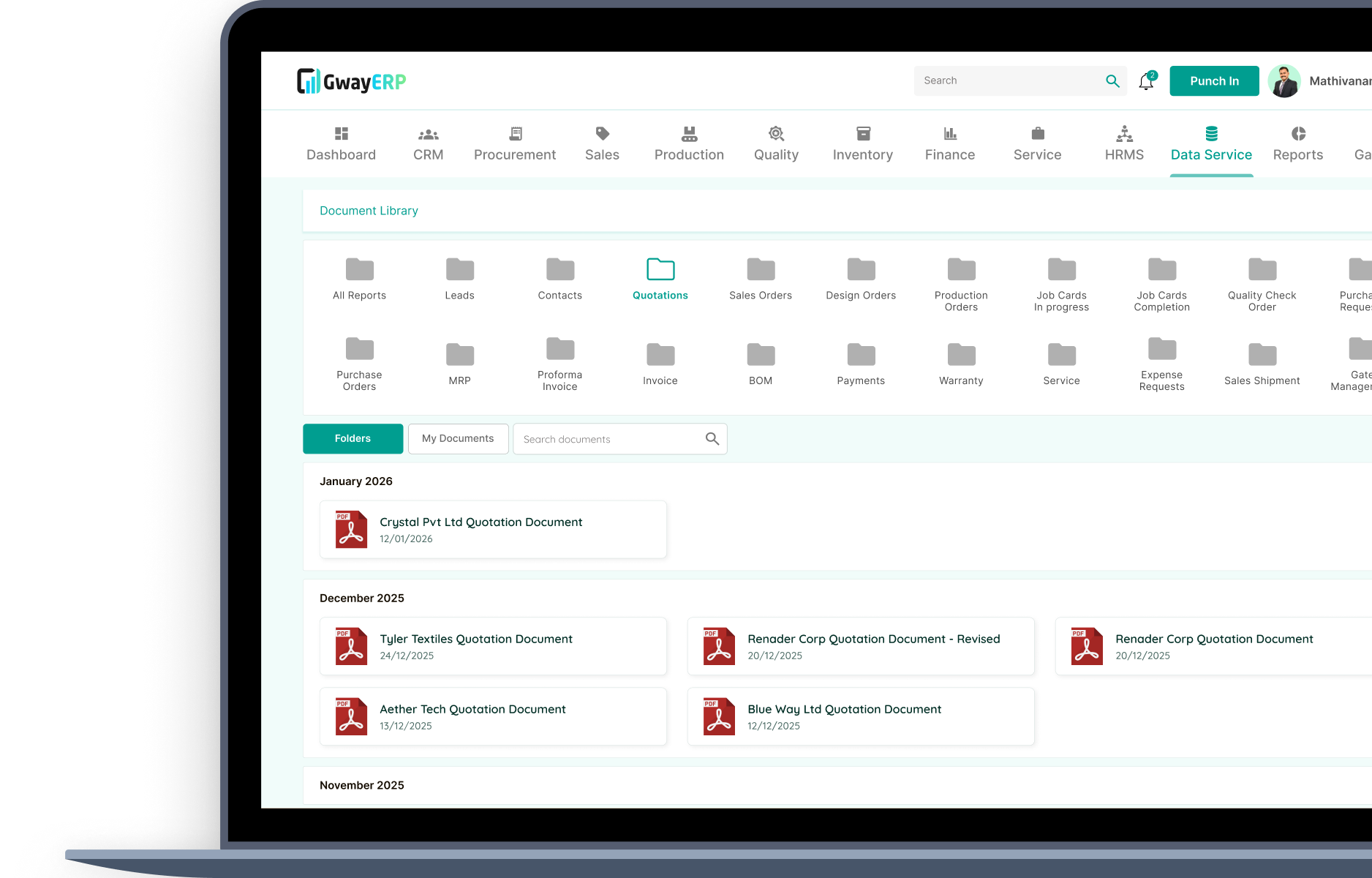
Store all shared business documents—contracts, policies, certificates, manuals, and compliance files—in a single, centralized repository accessible across modules.

Documents can be linked to relevant records such as customers, vendors, projects, or transactions, improving traceability, reducing duplication, and ensuring teams always access the latest version.

Centralized Document Library

Personal Document Folders

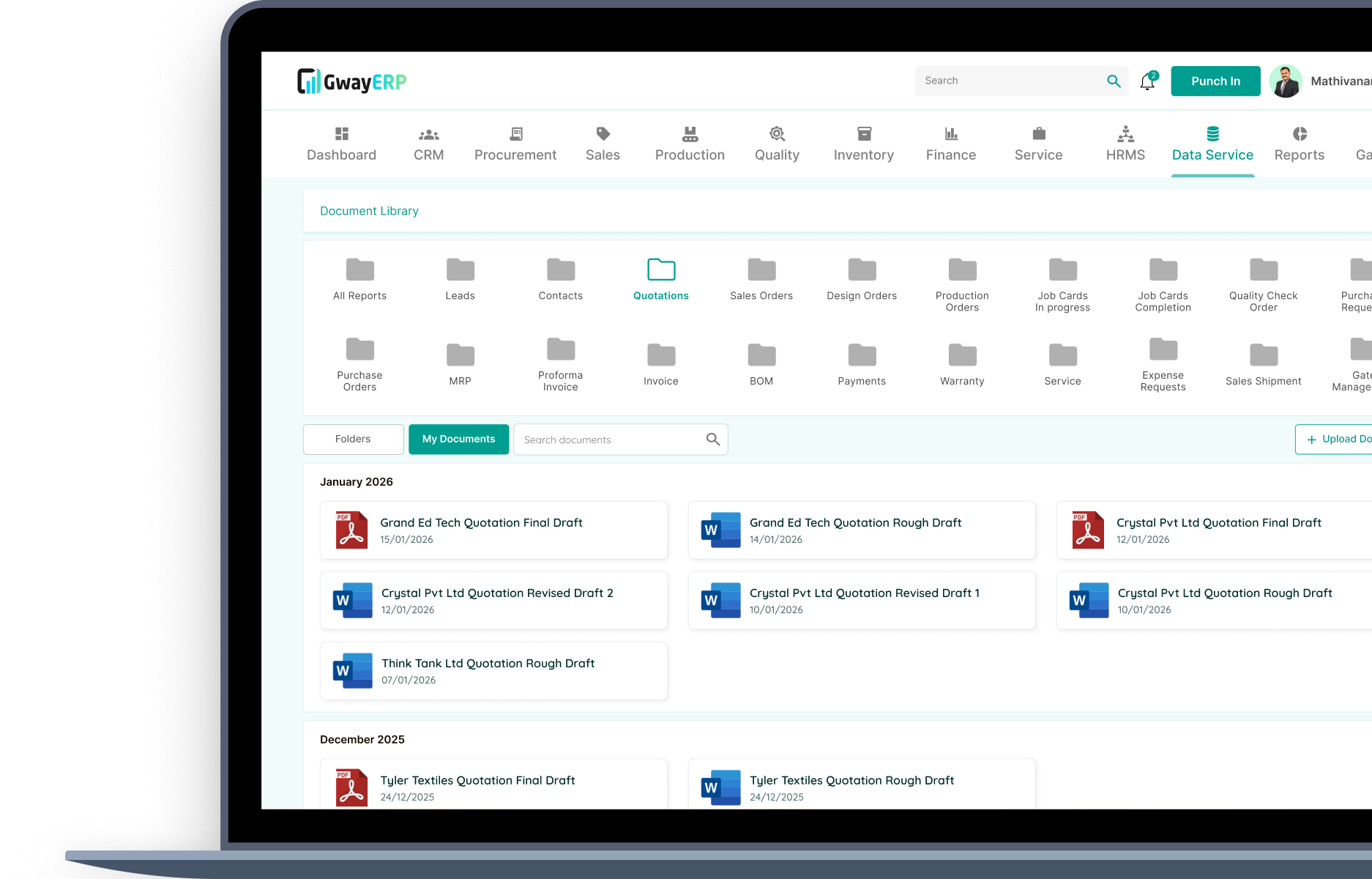
Provide users with secure personal folders to store role-specific or private documents within the ERP environment.

This helps balance centralized document control with individual productivity, ensuring sensitive files remain private while still being stored within a controlled and secure system.

Personal Document Folders

Role-Based Access & Security

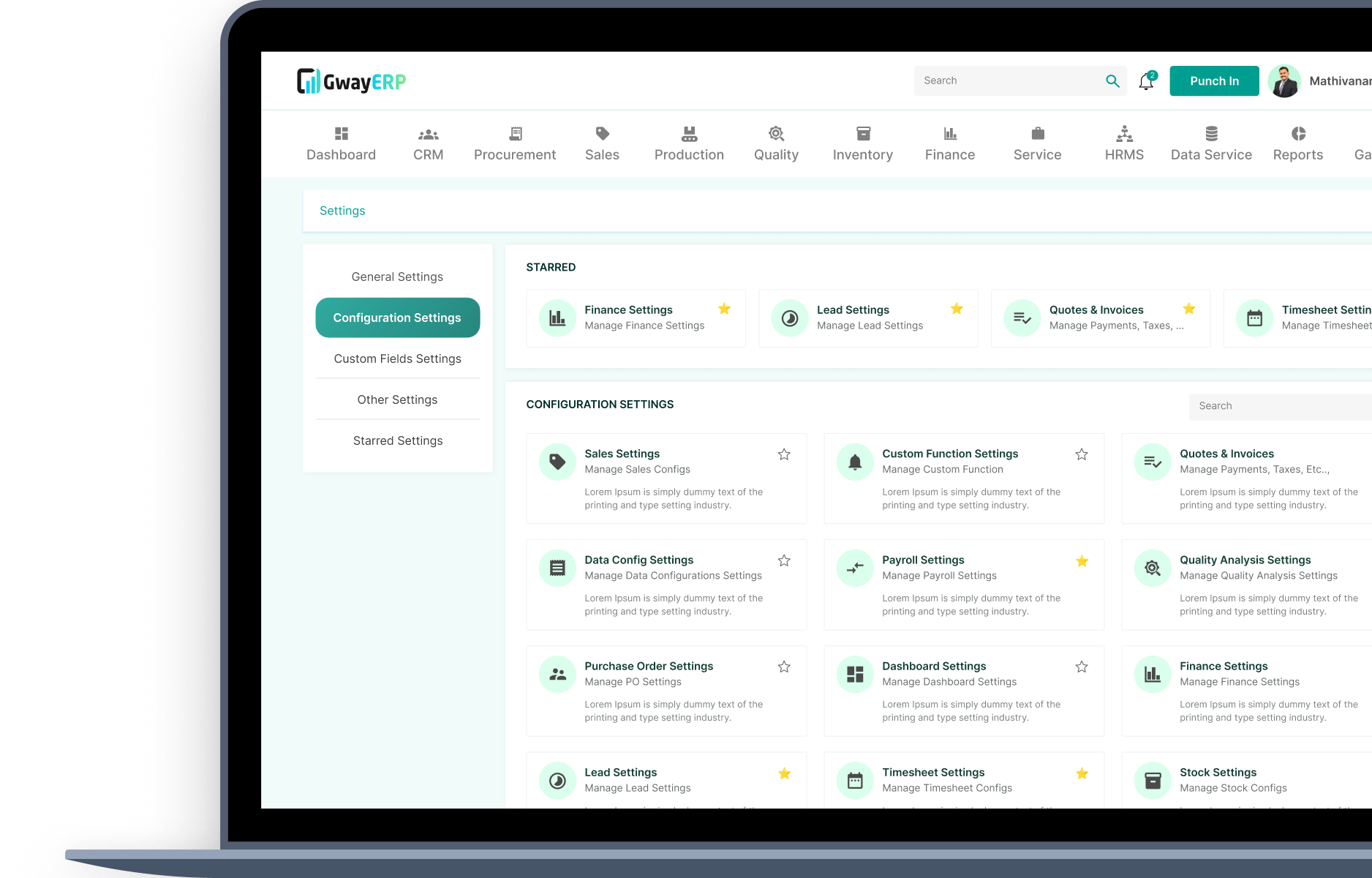
Define granular access controls from settings to manage who can view, upload, edit, download, or delete data and documents.

Role-based permissions ensure sensitive information is protected, unauthorized access is prevented, and data governance standards are maintained across departments and users.

Role-Based Access & Security

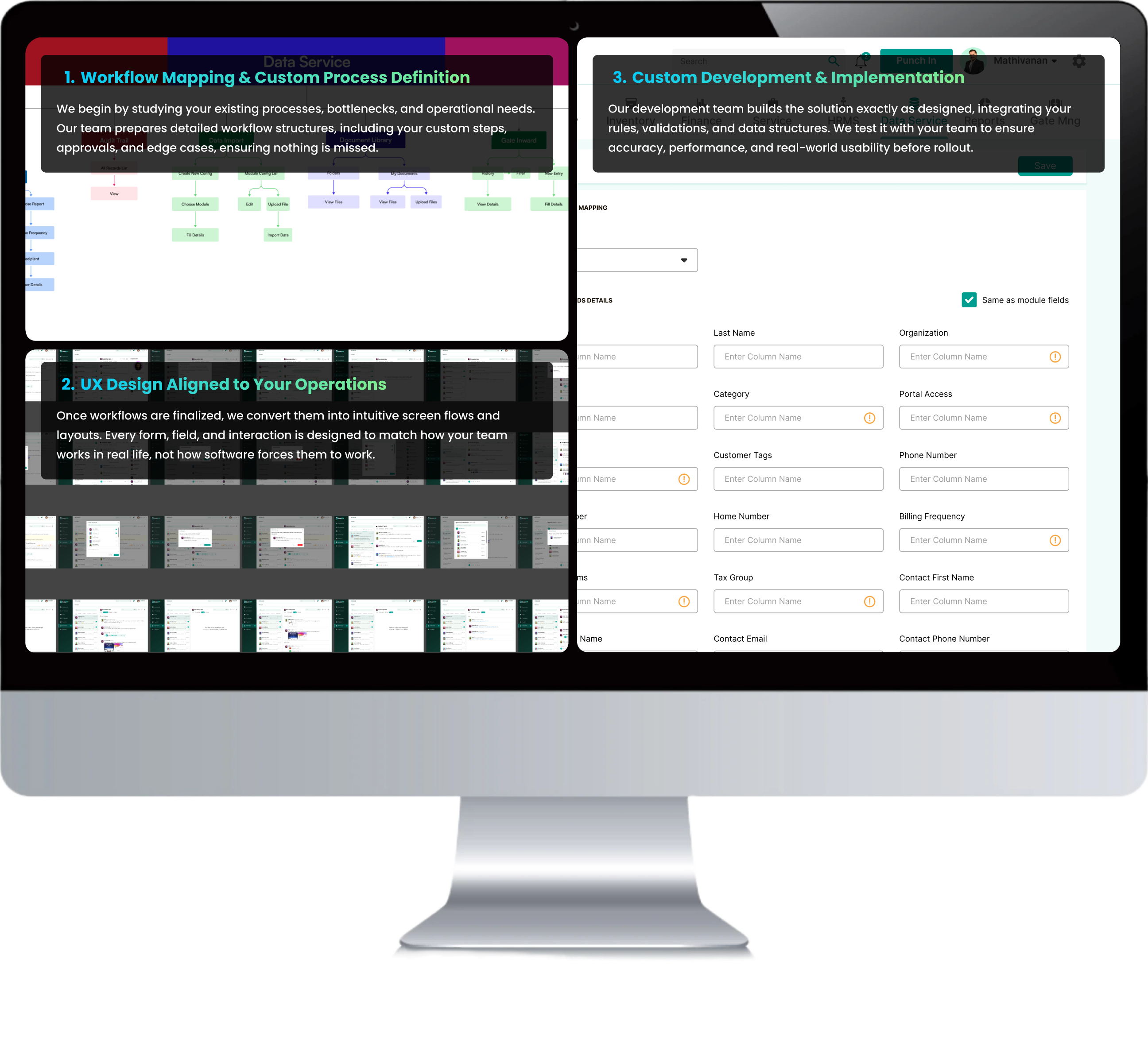
How We Build an ERP That Fits Your Workflow

Every organization operates differently – so your ERP should reflect the way your business truly works. Our
customization process ensures your workflows are understood, translated into design, and implemented with precision.

Data Service Management Workflow

ERP Modules That Cover Your Entire Business

13 Core Modules – Fully Customizable

GwayERP's base ERP includes 13 integrated modules, all of which can be customized to suit your specific requirements:

Data Service

Data Service

Your data, unified and accessible.

Ensure continuity and consistency of data across your ERP. Import data from legacy or third-party systems and maintain a centralized document repository linked to every module.

  • Data import from other ERPs
  • Scenario-based data migration
  • Central document library

Modules can be deployed independently or as a unified ERP system.

FAQ

The Data Service Management governs data integration, quality, security, and availability to ensure reliable and consistent information across systems.

Data Service Management ensures data consistency, enables smooth migration from legacy systems, provides centralized document storage, supports role-based access control, and maintains data quality through validation rules.

The Data Service Module includes built-in validation rules that check data integrity before import. Errors are flagged with clear messages, allowing you to correct data before migration. This ensures clean, reliable data from the start.

Yes, the Data Service Module includes role-based access control. You can define granular permissions for viewing, uploading, editing, downloading, or deleting documents based on user roles, ensuring data security and governance.

Yes, the Data Service Module supports data import from legacy systems, third-party applications, and external sources. It also provides APIs for integration and ensures data consistency across all connected systems.